
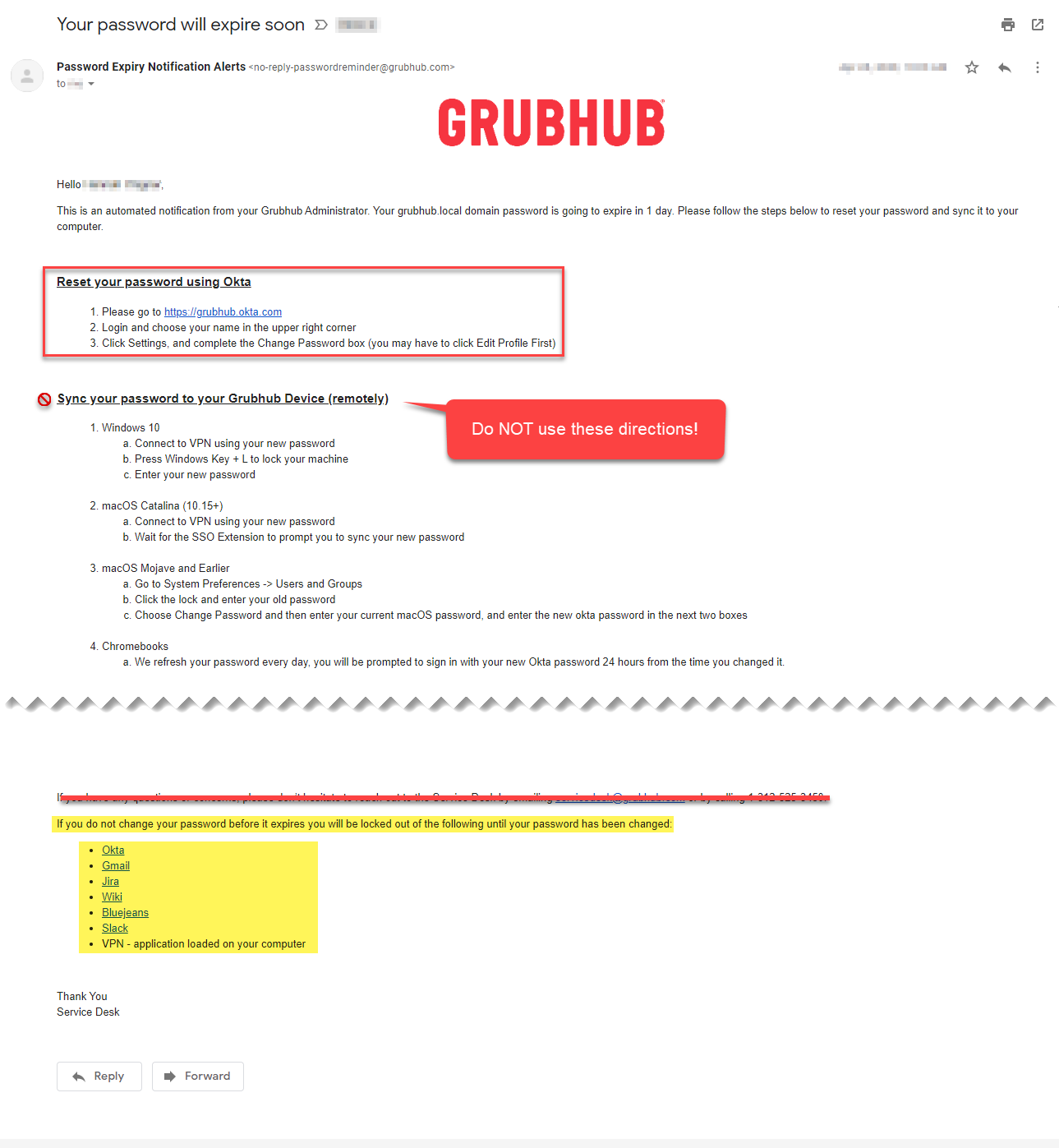
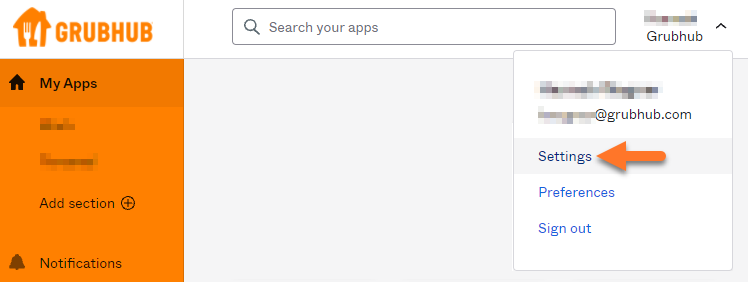
You will need to navigate to: https://grubhub.okta.com/
Log in to OKTA.
Click on your name in the top right and go to Settings

If you are unable to select the fields, click the edit profile button. It will ask you to enter your Okta password for verification.
Go to Change Password section
Enter the current password and a new password twice
If you need help created a password meeting all of the requirements, try these tips here.
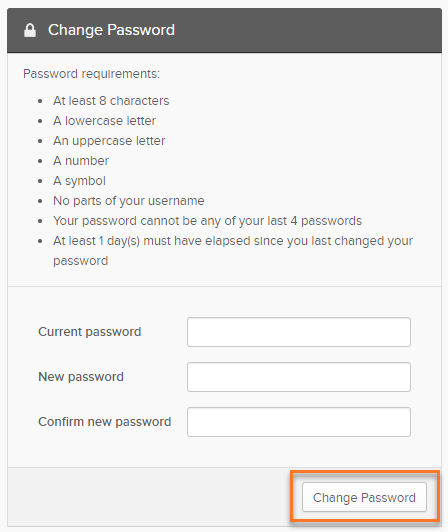
Click Change Password button
If you do not change your password within the expiration timeframe, you will be locked out of your account. You will need to follow the process under Unlock Your Account.