
Enroll in Self-Service
This process is required during the first-time login.
Navigate to: https://grubhub.okta.com/
Log into OKTA with your username and password. If it is your first time logging into Okta, you will then see a screen like this...
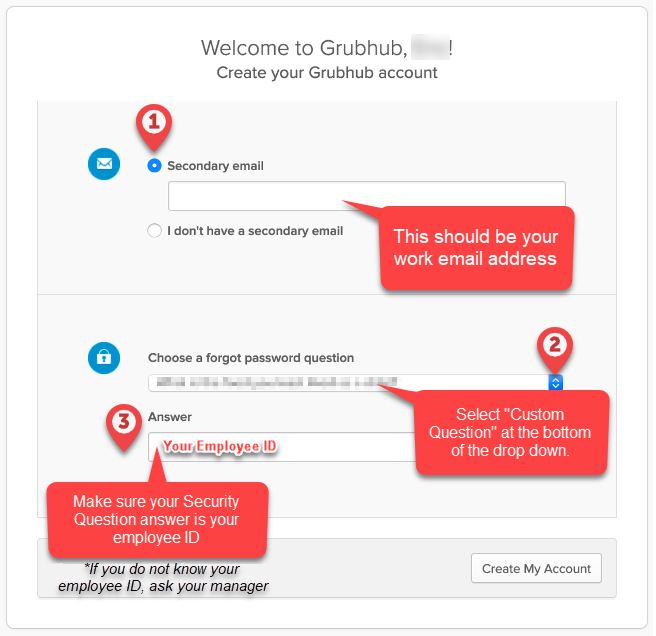
Enter your work email address as your secondary email.
If you receive an error message when entering your secondary email address, select I don't have a secondary email and follow the steps outlined here: Change Email AddressUnder “Choose your forgot password question” scroll to the very bottom and select a create your own security question. Your answer should be your EmployeeID
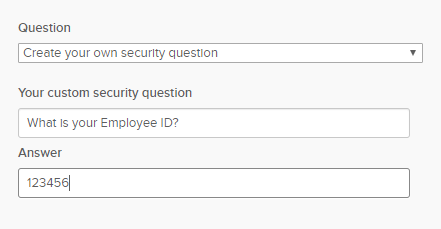
Click Create My Account
 Go to your work email inbox. You will have an email from noreply@Okta.com.
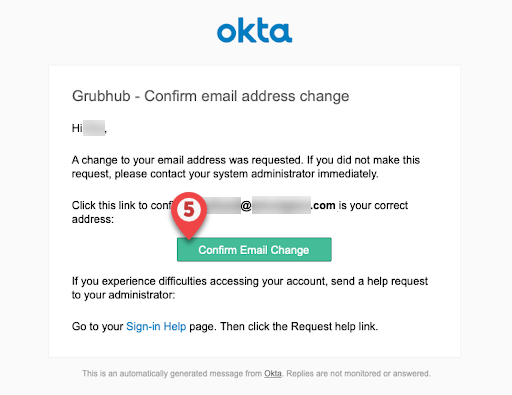
Click Confirm Email Change button
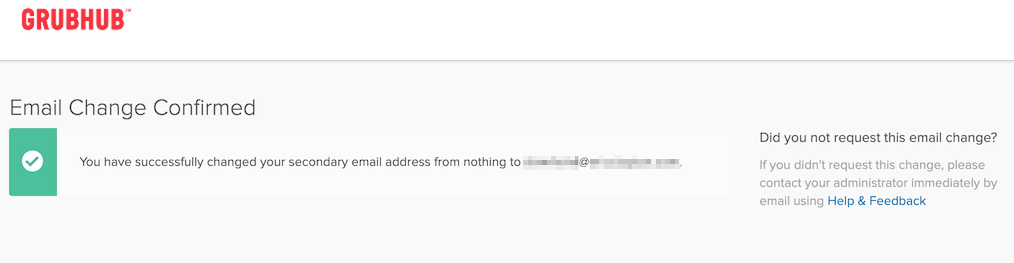
If you do not see the Email Change Confirmed message please contact GH Care Partner Support by creating a ticket here.