
 |
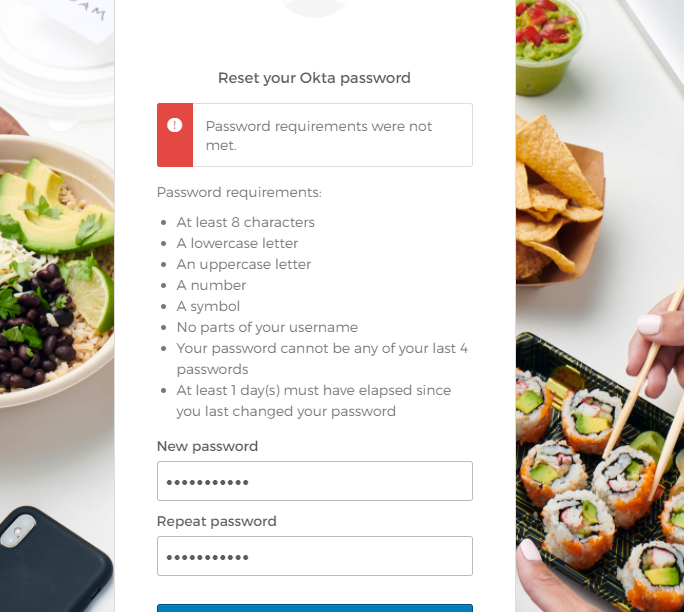 |
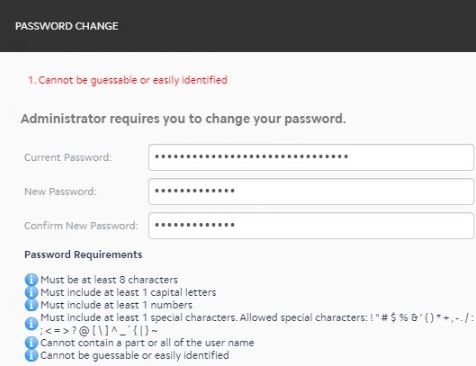
If you are seeing either of these messages, you may be using a weak password.
There are a few reasons these messages, or messages similar to these, could appear in Okta or Five9.
- You've used this password before.
- You're attempting to set a password that is too similar to a password you've used before.
- Your password is too "guessable", this could be because it includes their name or username, or using 'keyboard patterns' (such as "12345").
- You've had your password changed more than once in 24 hours.
Here's what you can try.
You can use a Password Generator (like this one: https://passwordsgenerator.net/)
If you right-click on the field, you can select Suggest password... and Chrome will create a strong password that will then save in your Chrome settings (chrome://settings/passwords)

It is always suggested to utilize some kind of Password Manager, like Okta or your browser's built-in settings.