
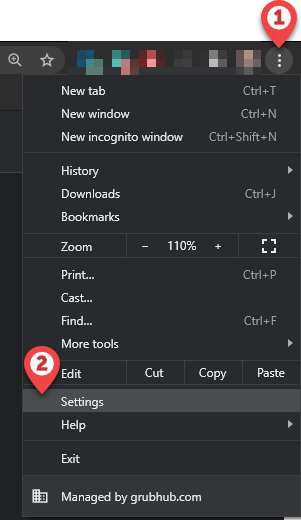
Navigate to browser Settings, or go to chrome://settings/ in the URL bar
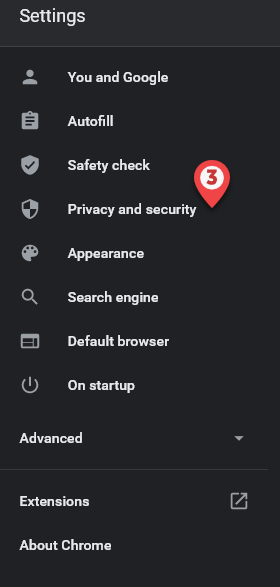
Select Privacy and security
(You can also get to these settings by going to chrome://settings/cookies in the URL bar)
Select Site Settings

Scroll down to Cookies and site data

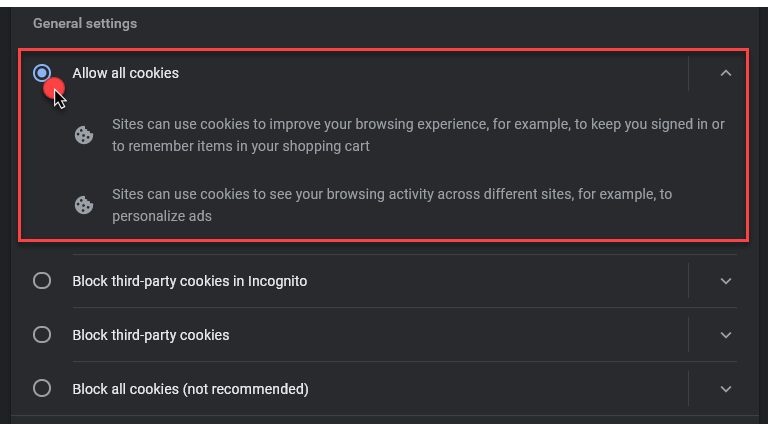
Select Allow All Cookies
Scroll down to Sites that can never use cookies
Remove any sites listed by clicking the  icon
icon
