
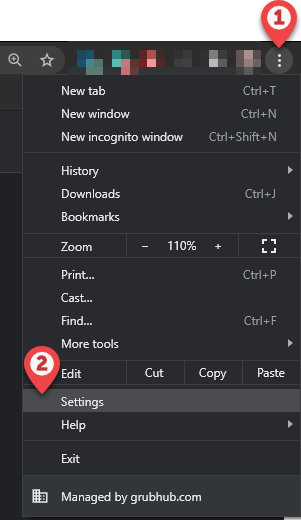
Navigate to browser Settings, or go to chrome://settings/ in the URL bar
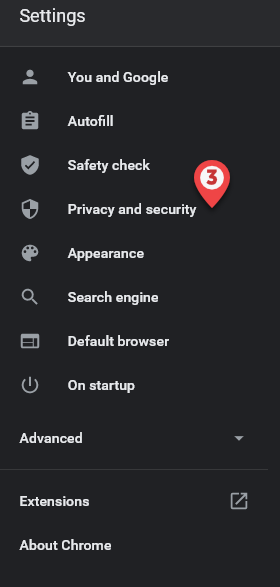
Select Privacy and security
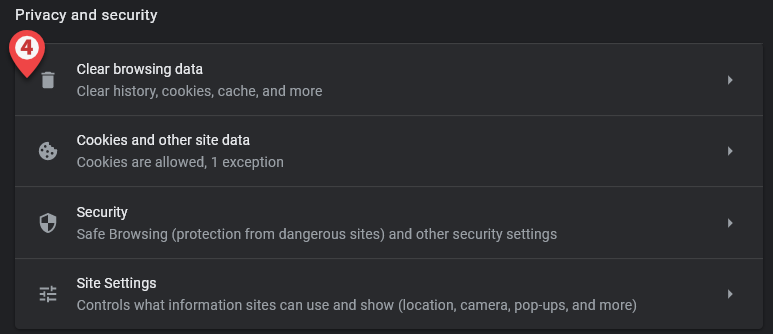
Select Clear browsing data
Under Advanced, ensure that the Time range specifies All time
Ensure there is a checkmark next to Cookies and other site data and Cache images and files
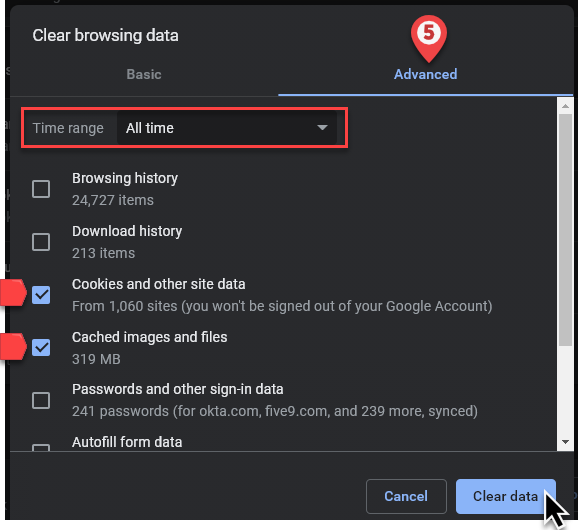
Select Clear data